Features & Screenshots
Everything PolygonLogix does — and what it looks like doing it. From CAD import and AI purchase order parsing to true-shape nesting, quoting, and machine-ready output.
From Purchase Order to Machine Code
No more bouncing between three different programs to price and cut a single job. PolygonLogix handles the entire workflow.
Software That Thinks Like a Fabricator
CAD File Import
DXF, DWG, IGES, STEP, and SVG files with full geometry extraction. SolidWorks and Inventor sheet metal unfolding. Arc geometry preserved for G02/G03 output.
TurboNest Engine
True-shape NFP collision detection with pattern stamping, genetic optimization, and part-in-part nesting. Maximum material utilization across every job.
AI Purchase Order Parsing
Drop in a purchase order PDF. Part numbers, quantities, materials, grades, and thicknesses extracted automatically and matched to your material database.
Your Machine Data
Import your actual tech tables from CSV — real feed rates, pierce times, and kerf widths from your machines, not guesswork.
Instant Quoting
Material, cutting time, consumables, setup, labor, profit margins — calculated instantly with complete cost breakdowns and professional report export.
Machine Post-Processors
Generate machine-ready code in .LST, .ord, .NC, G-code, and custom formats. Cut paths with lead-in/lead-out, tabs, and traverse optimization.
Embedded CAD Editor
Clean up geometry, manage layers, close contours, and edit parts without leaving the program. AutoCAD-style command line with full snap engine.
Inventory Tracking
Track sheet stock, remnants, and material costs. Quote against what you actually have on the rack, not what the catalog says.
Production Tracking
Track job status from quote through cutting to completion. Know what's running, what's next, and what's done.
See the Full Quoting-to-Production Pipeline
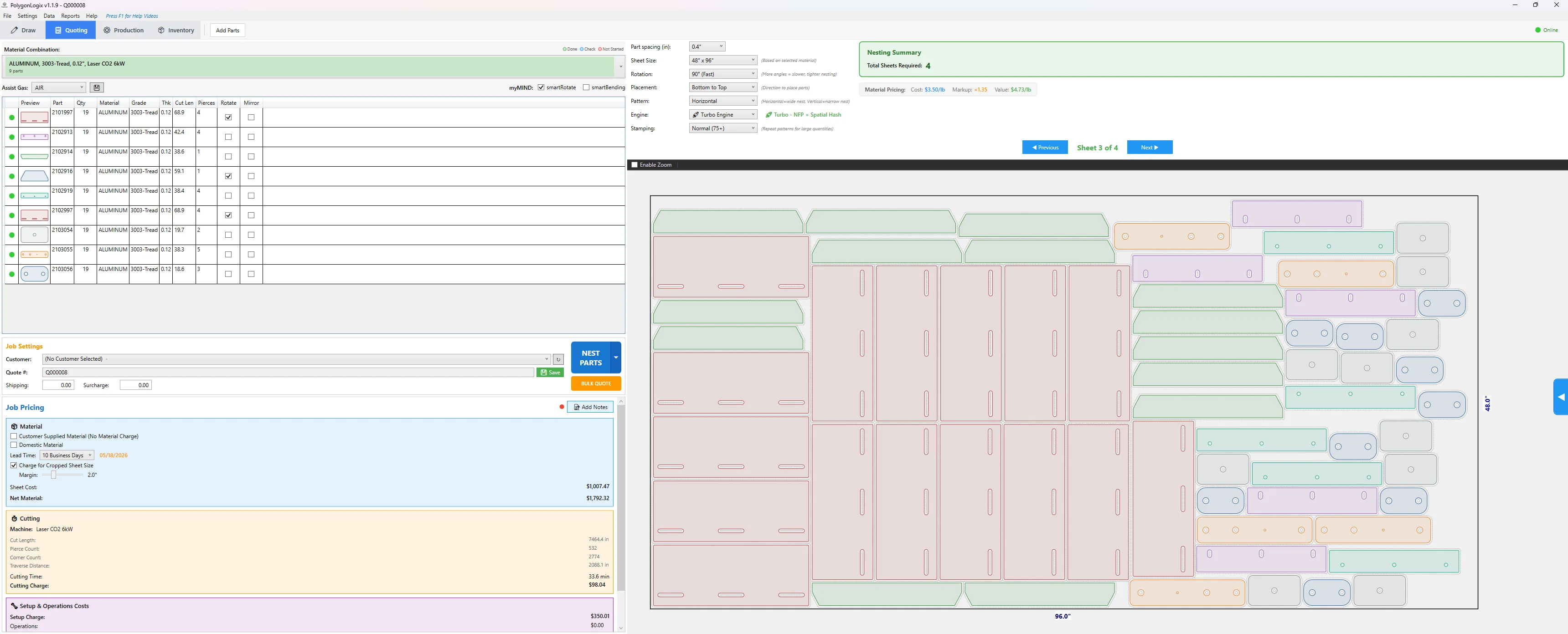
Quoting & Nesting
Parts nested with live cost breakdown, material utilization, and machine settings.
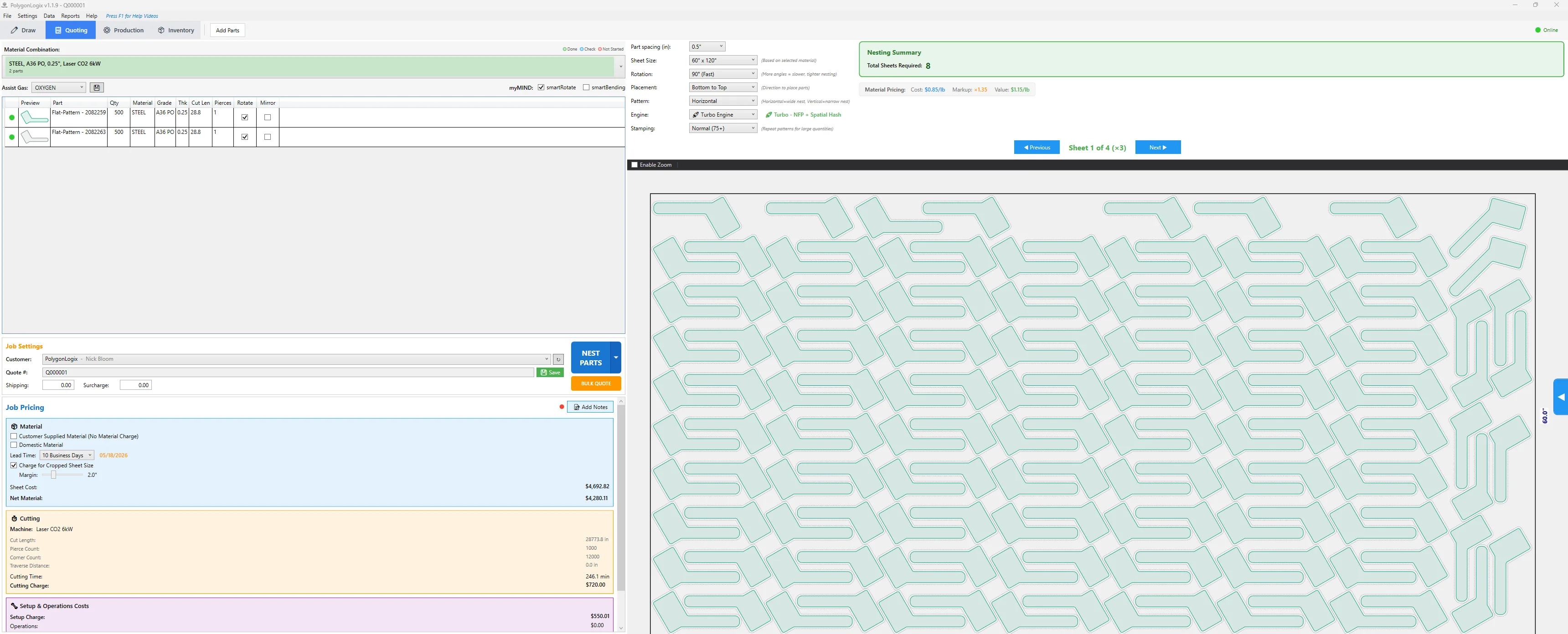
Dense NFP Nesting
500 parts across 8 sheets. True-shape NFP collision detection with pattern stamping.
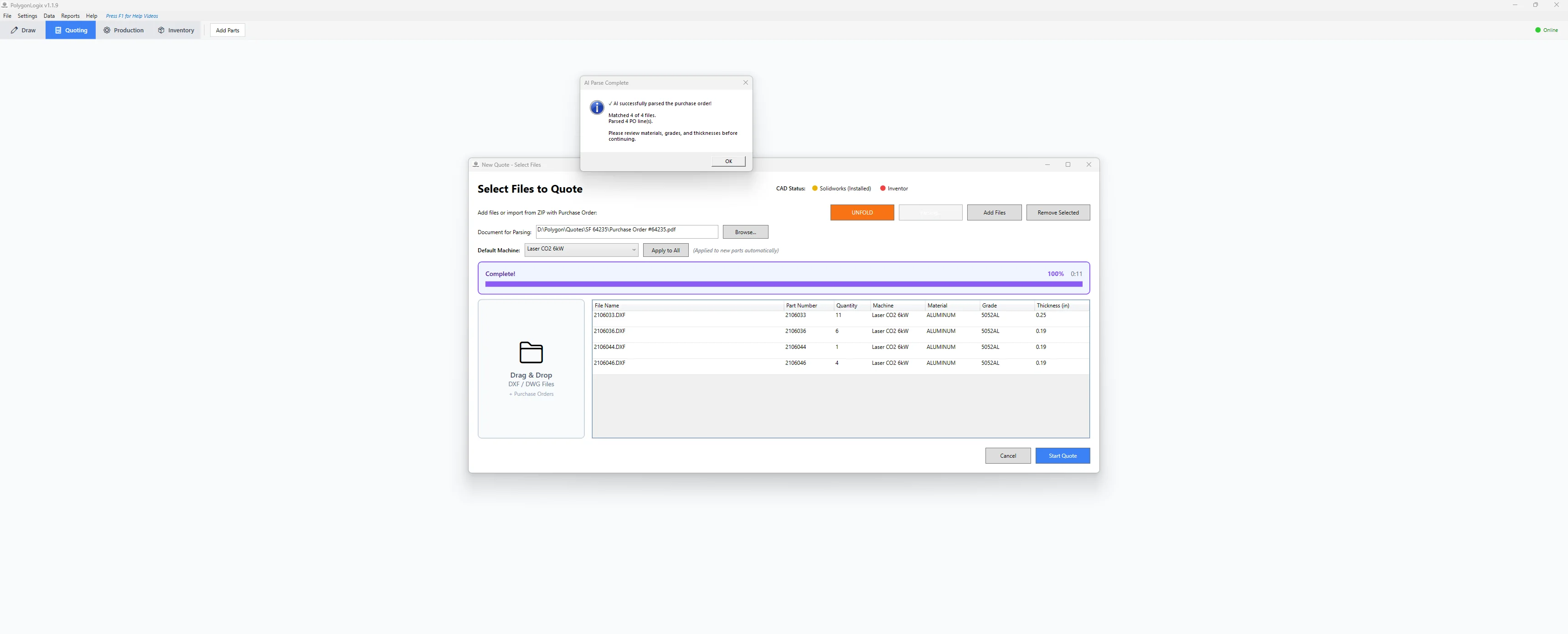
AI Purchase Order Parsing
Drop a PO PDF. Parts, quantities, materials, and thicknesses matched automatically.
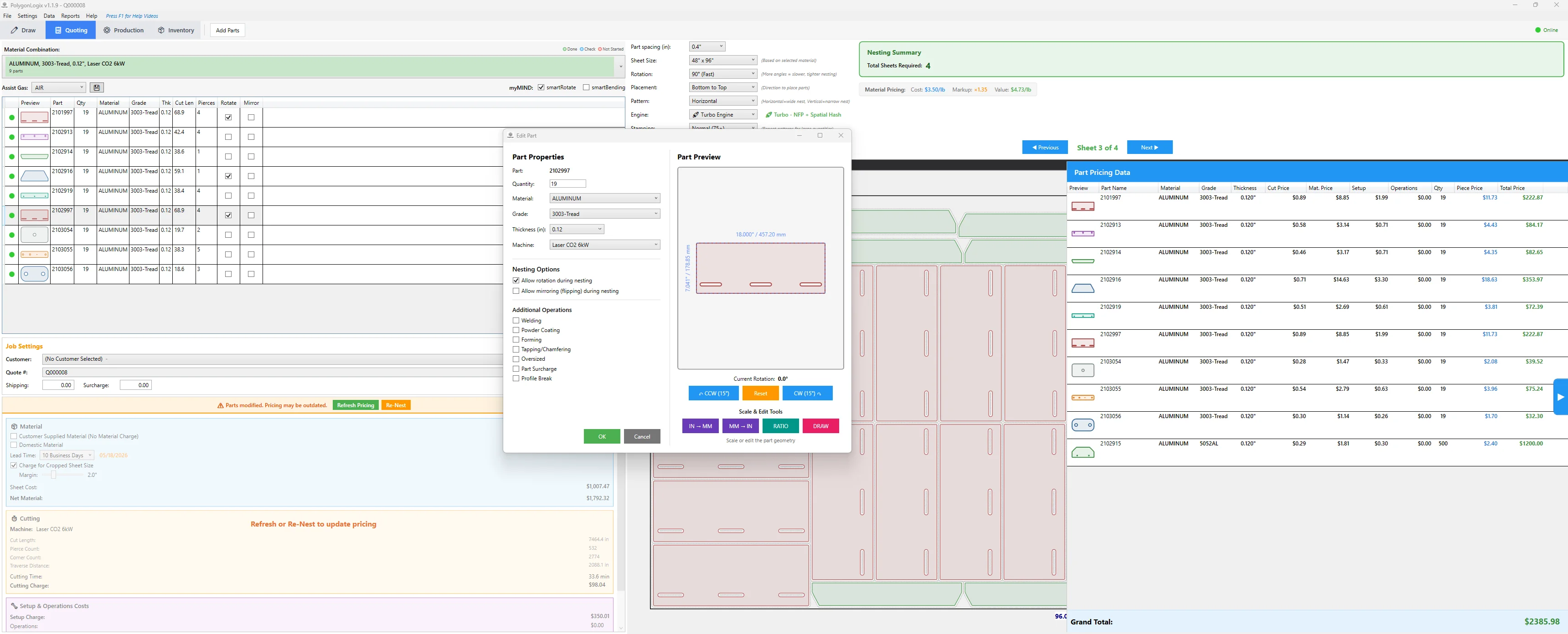
Part Properties & Pricing
Edit part details, preview geometry, and see per-part cost breakdown side by side.
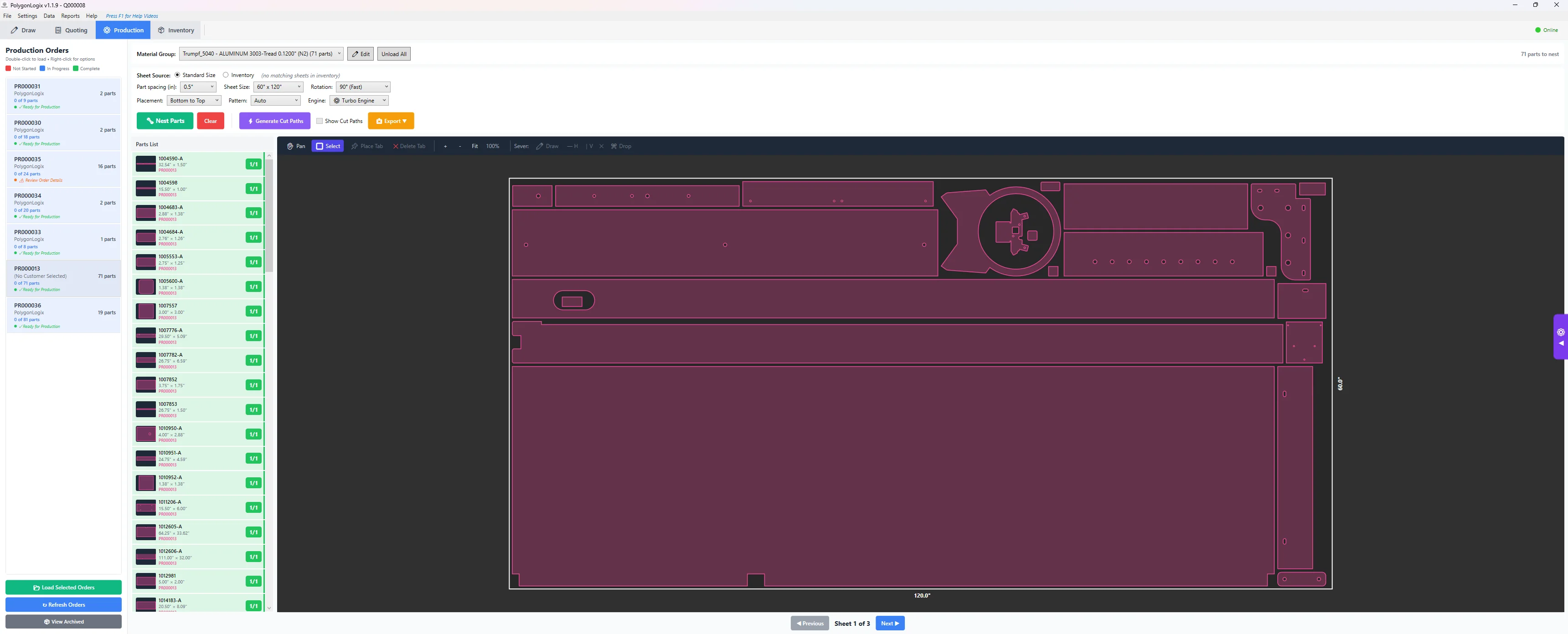
Production & Cut Paths
Production orders with nested parts and generated cut paths. Leads, tabs, and traverse visible.
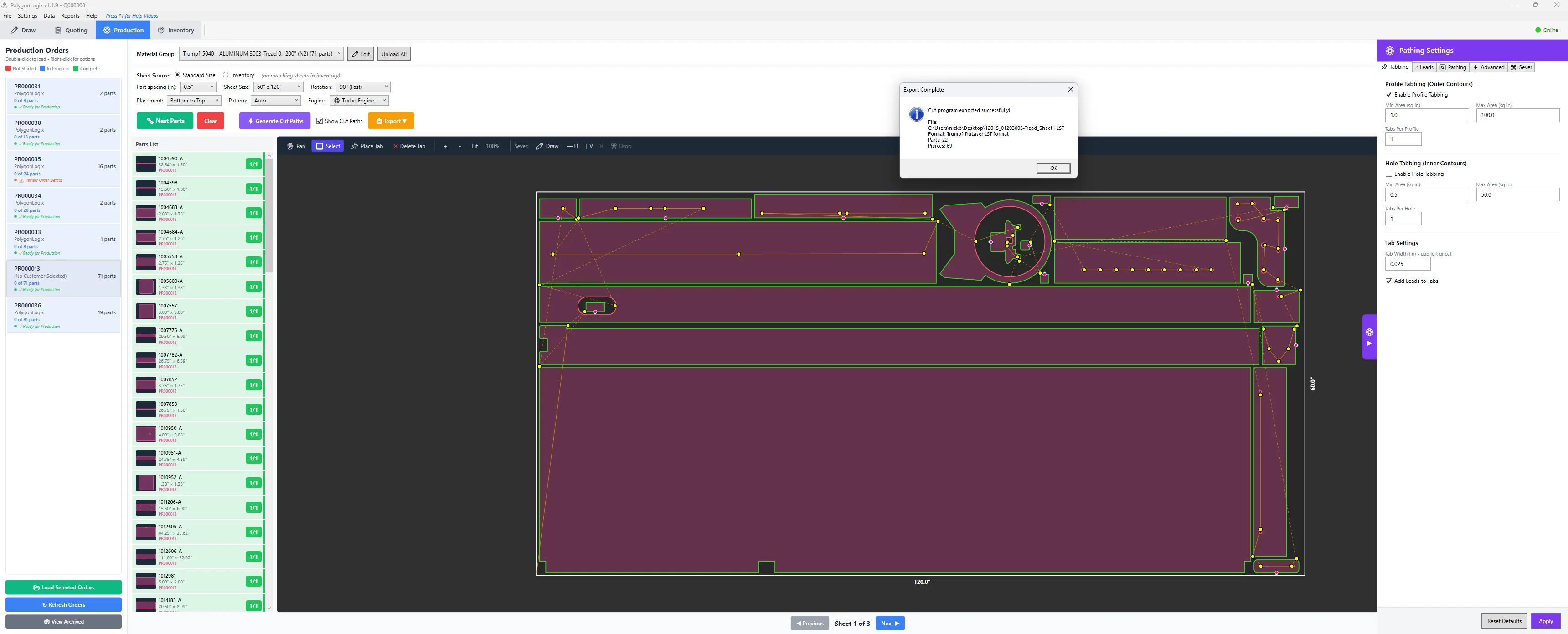
Pathing & Export
Configure leads, tabs, and pathing settings. Export machine-ready code in your format.
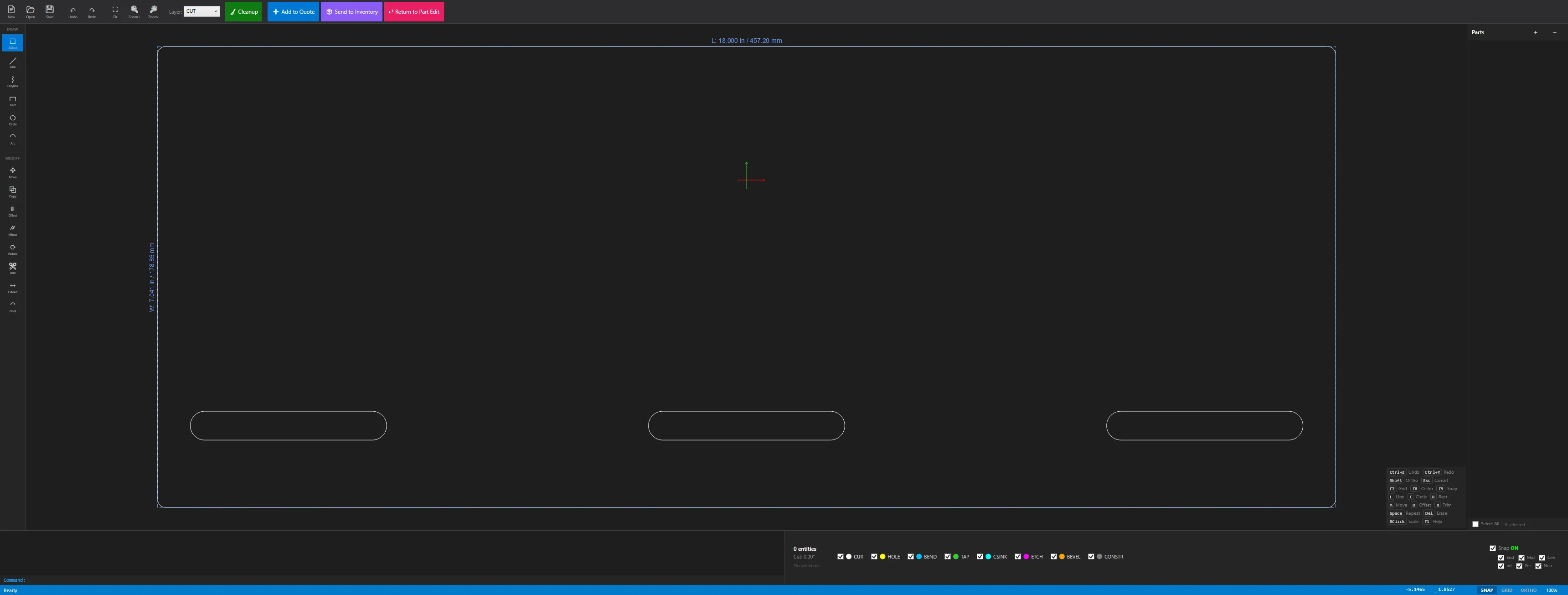
Embedded CAD Editor
Clean up geometry, manage layers, close contours — without leaving the program.
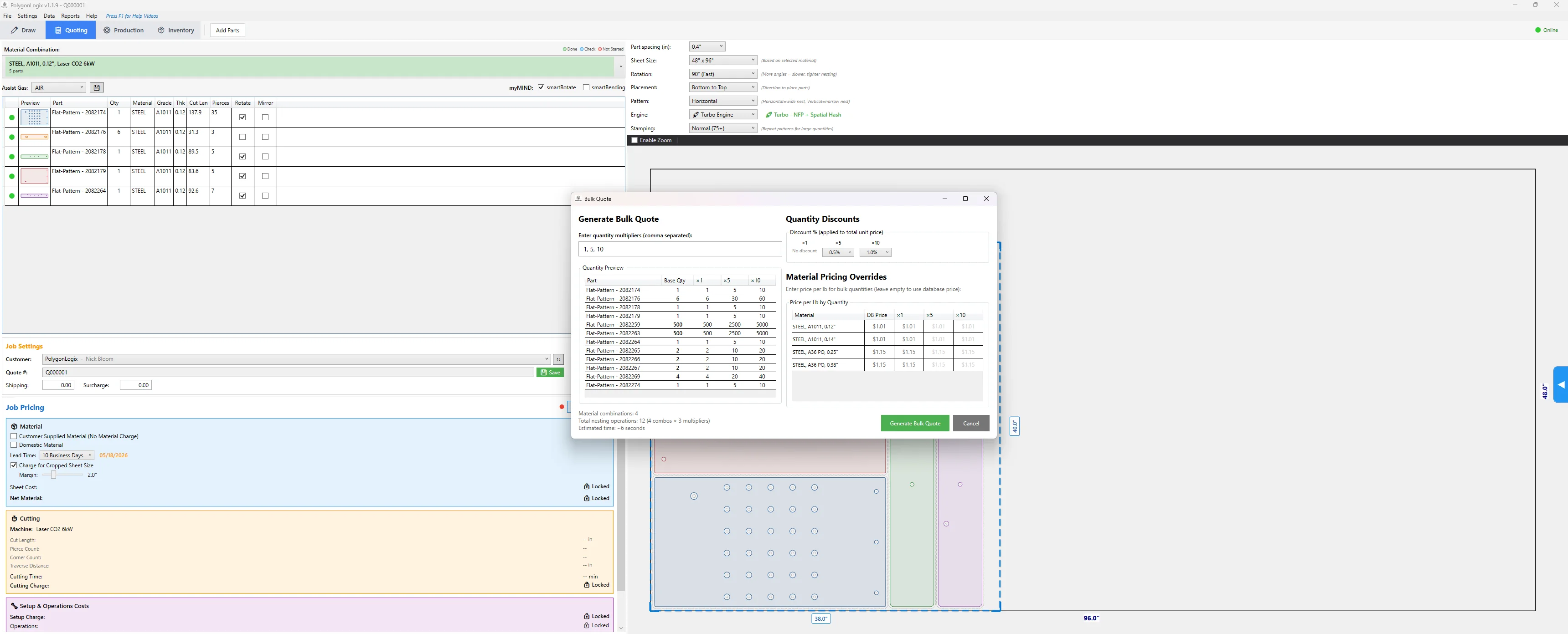
Bulk Quoting
Quantity price breaks with custom multipliers. Actual nests run for each quantity level.
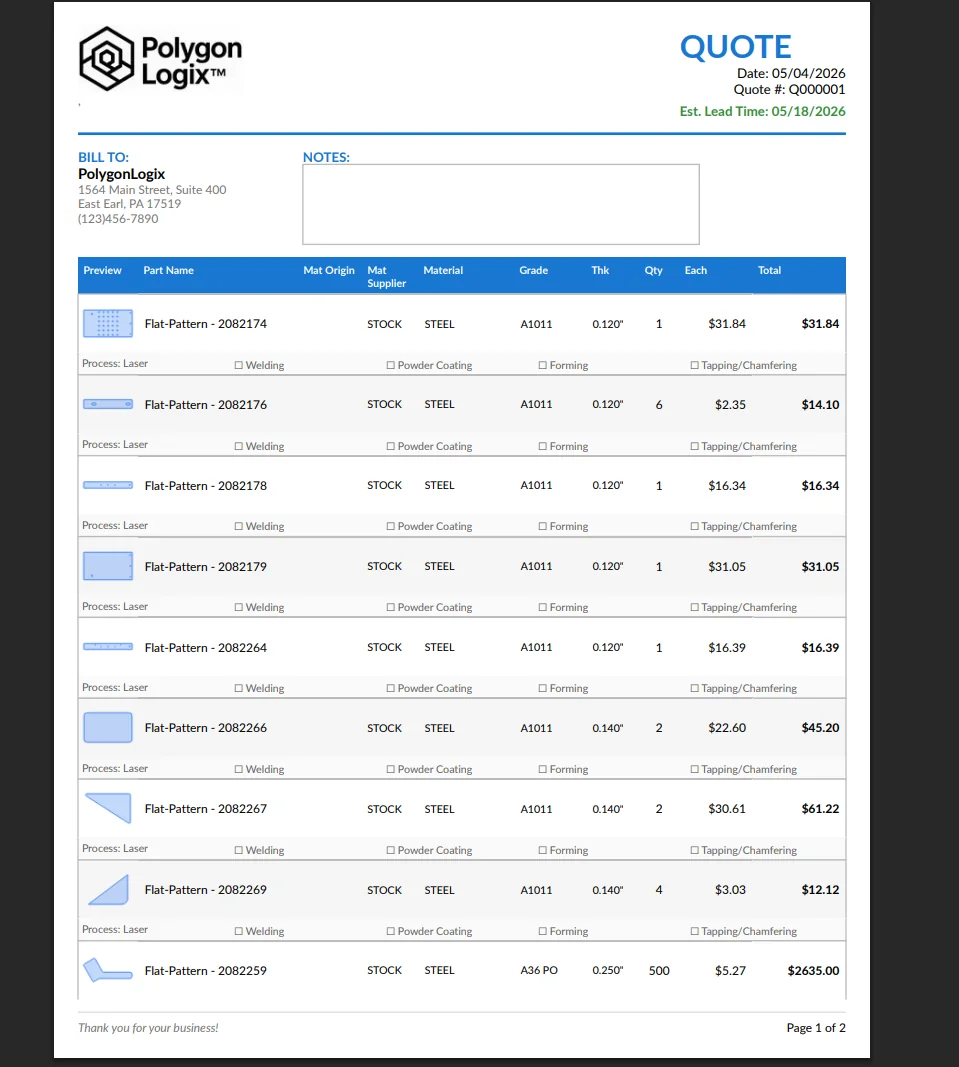
Quote Report
Professional reports with part previews, per-piece pricing, and material details. Ready to send.
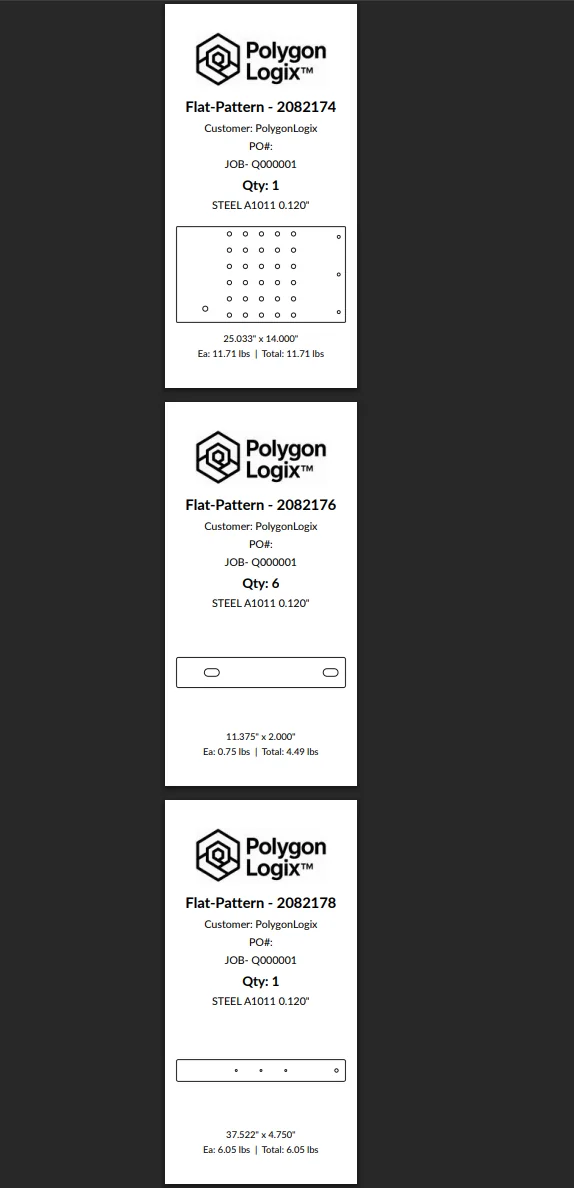
Print Tags
Flat pattern tags with part number, material, weight, and dimensions. Ready for the shop floor.
Drop a PO. Get a Quote.
Stop typing part numbers, quantities, and thicknesses by hand. Drop in a purchase order PDF and let the AI parser do the data entry — matched against your 908+ material database automatically.
Drop the PO
Import a purchase order PDF. Any format, any customer layout. The AI reads the document structure, not just the text.
AI Extracts Everything
Part numbers, quantities, materials, grades, and thicknesses — pulled automatically. Gauge-to-decimal conversion handled. Matched to your material database.
Parts Ready to Nest
Linked to your CAD files, organized by material and thickness, ready for nesting and quoting. A 100-part order populated in under a minute.
Want To See It On Your Parts?
Request early access and run your own DXFs through the nesting and quoting engine. Early access users get direct input on features.
Request Access